Free · No ads · Works offline

Know where every coin goes.

Money Tracker is a calm, private expense tracker for Android. Log spending in a few taps, see where your money goes, and stay on budget — with no account, and nothing leaving your phone.

Coming soon toGoogle PlaySee how it works
  • No sign-up
  • No ads or tracking
  • Light & dark themes
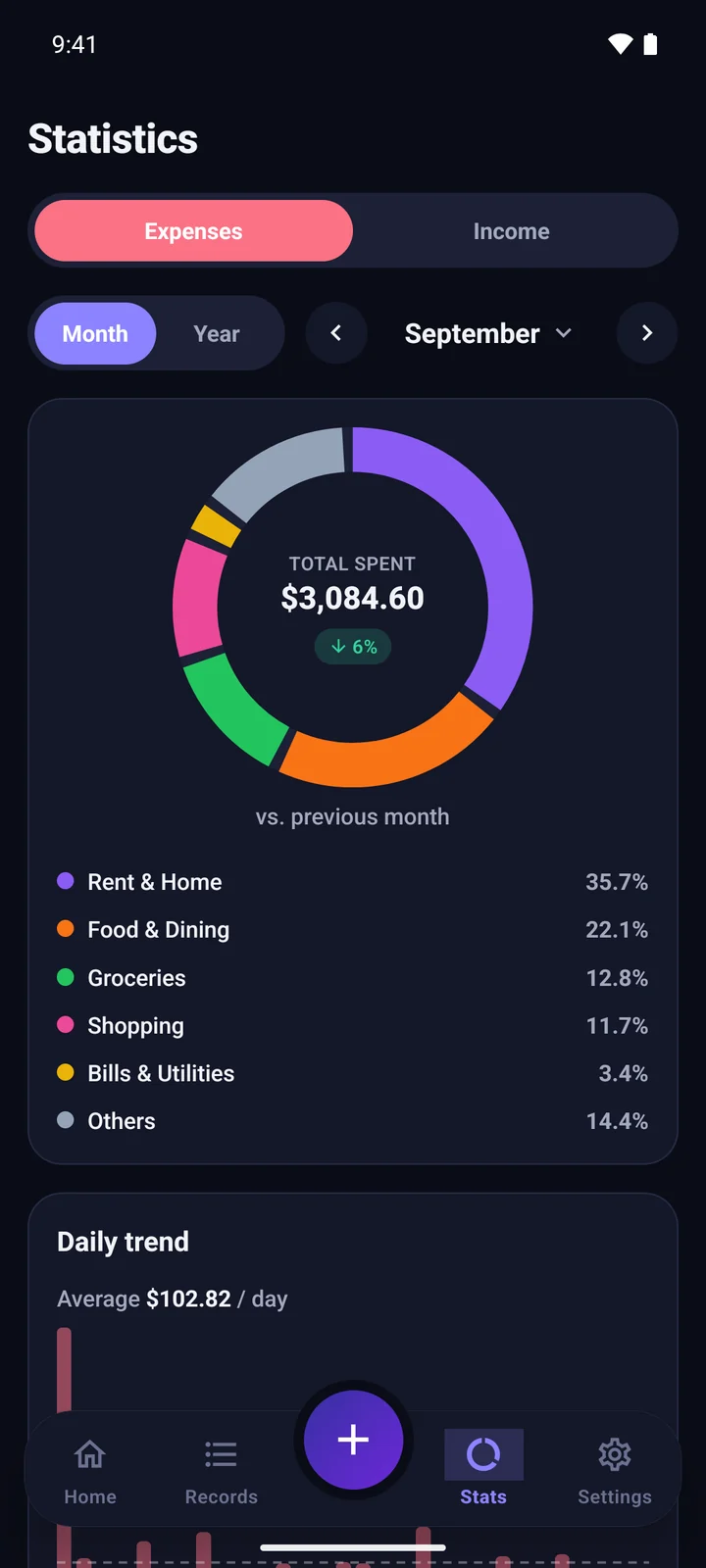
Statistics screen in dark mode
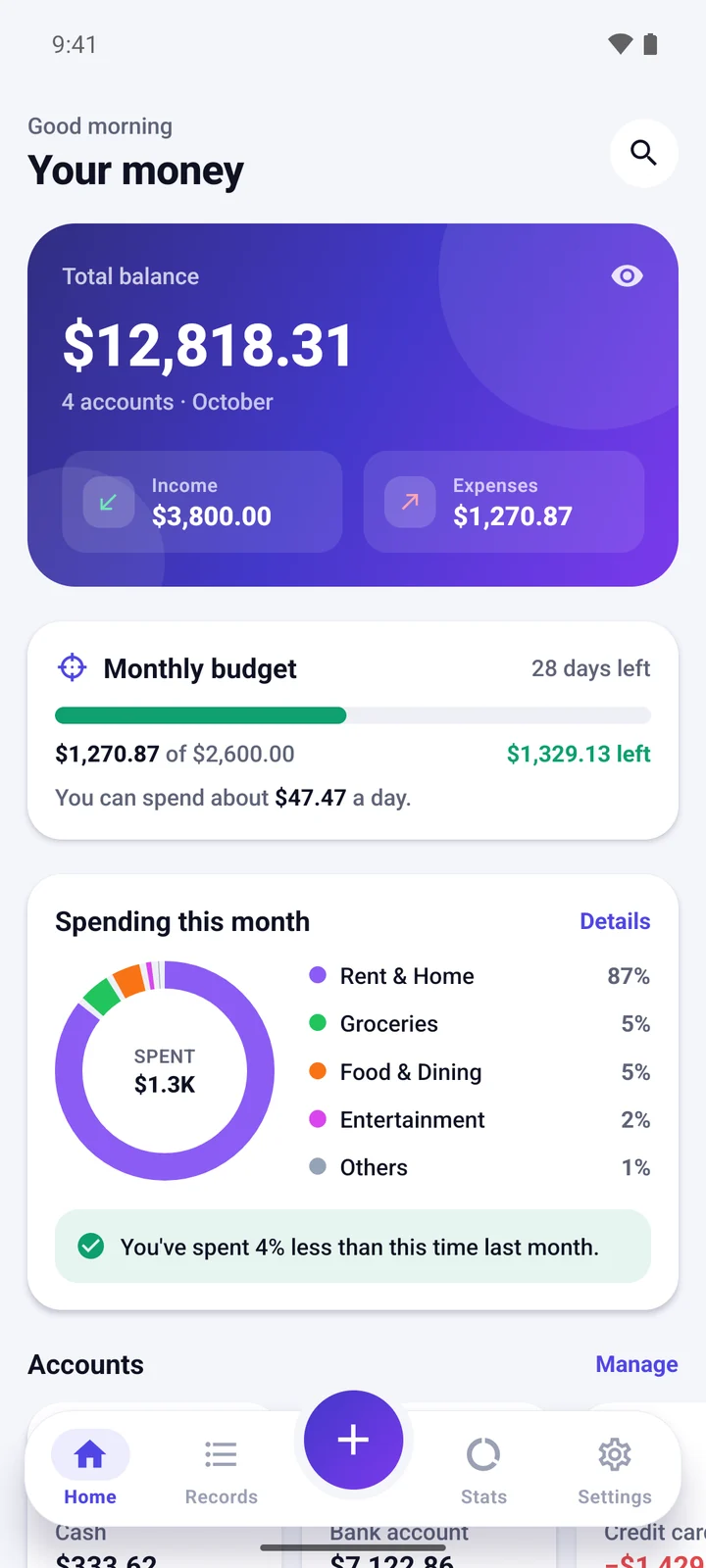
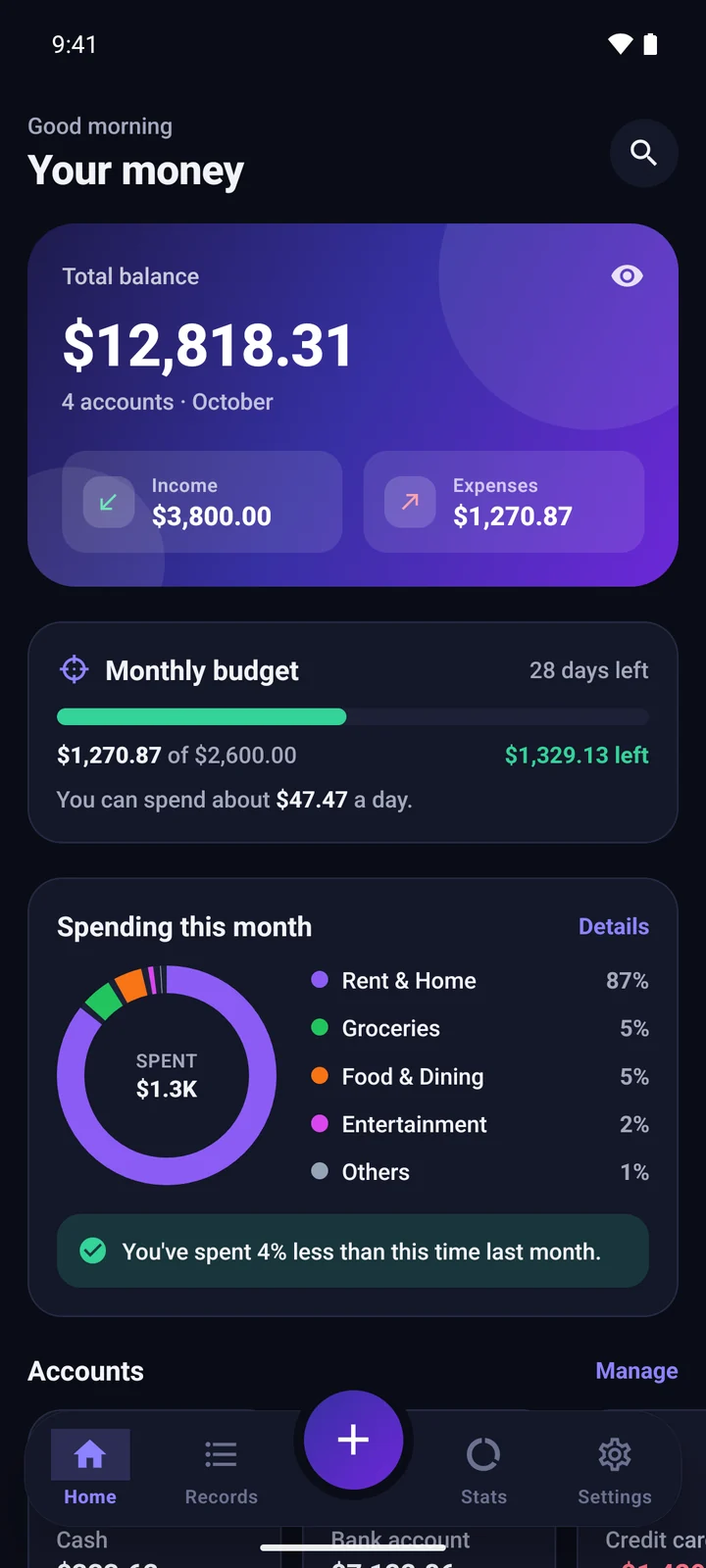
Home screen with total balance, monthly budget and spending chart
CoffeeFlat white · Card−$4.50
3 taps
to log an expense
26
ready-made categories
12
currencies, incl. VND
0
accounts, ads or trackers

Features

Everything you need. Nothing you don’t.

Money Tracker keeps the essentials fast and out of your way, so you actually keep using it.

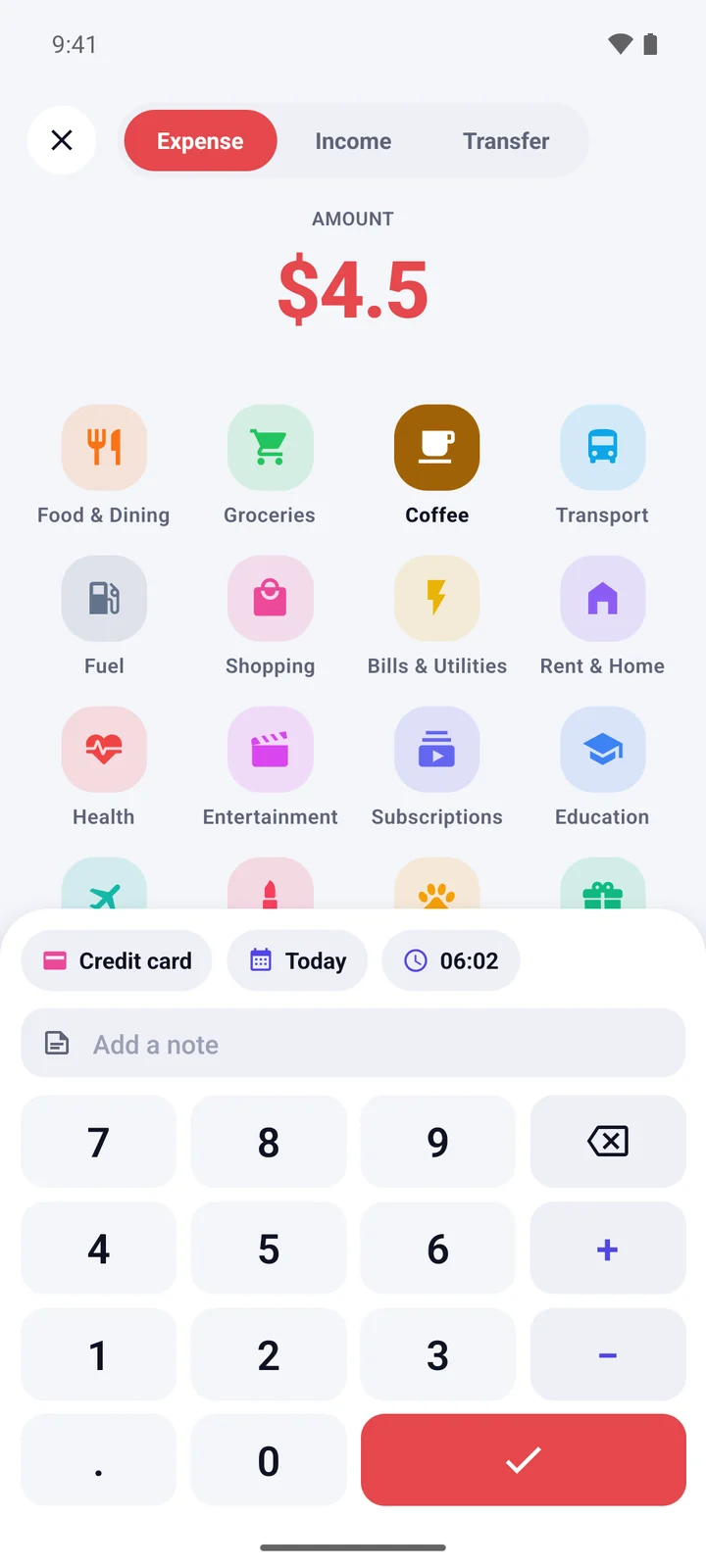
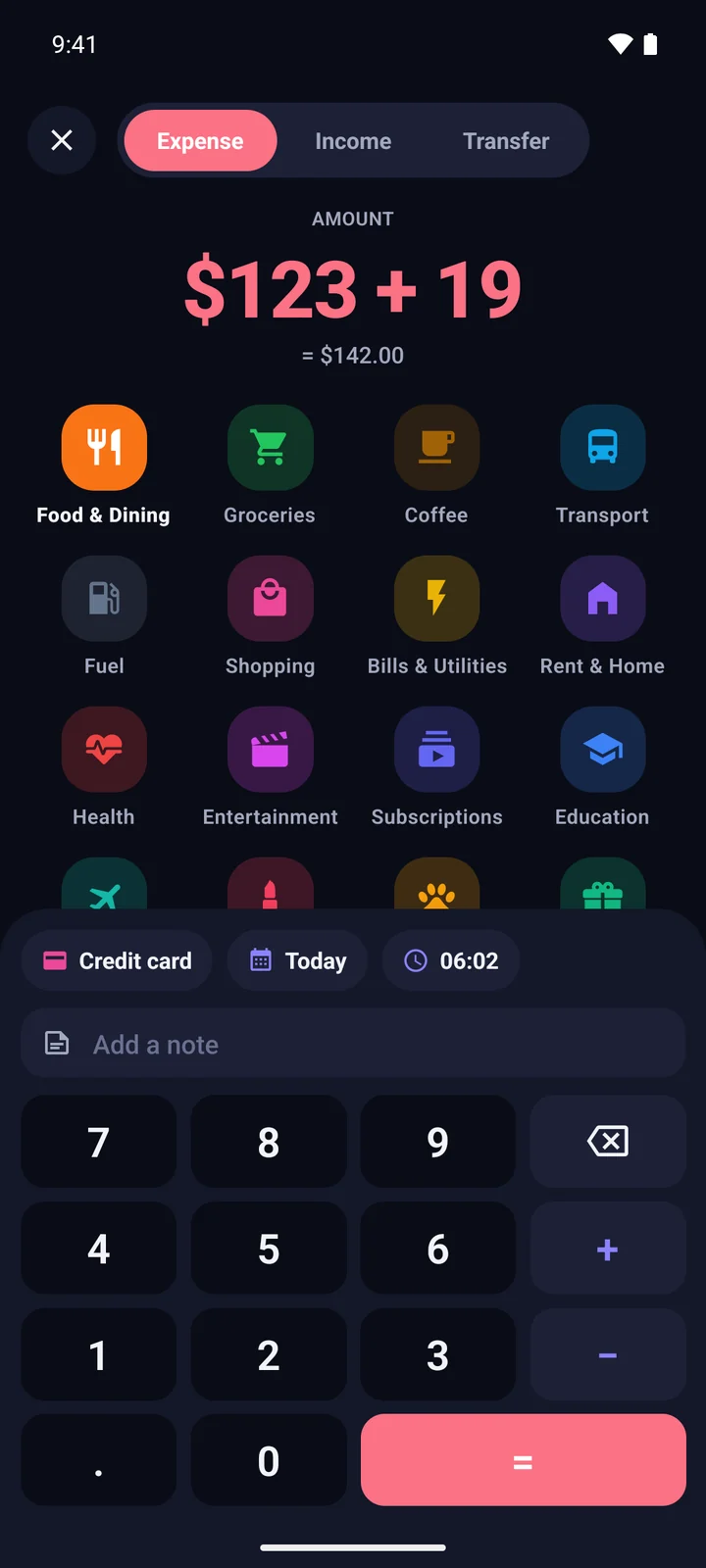
Adding a $4.50 coffee expense with the calculator keypad

Log

Add an expense before your coffee cools

A keypad that does the maths for you, categories one tap away, and the account you used last already picked. Add a note or change the date only when you need to.

  • Calculator keypad with + and −
  • Expenses, income and transfers
  • Notes, dates and times
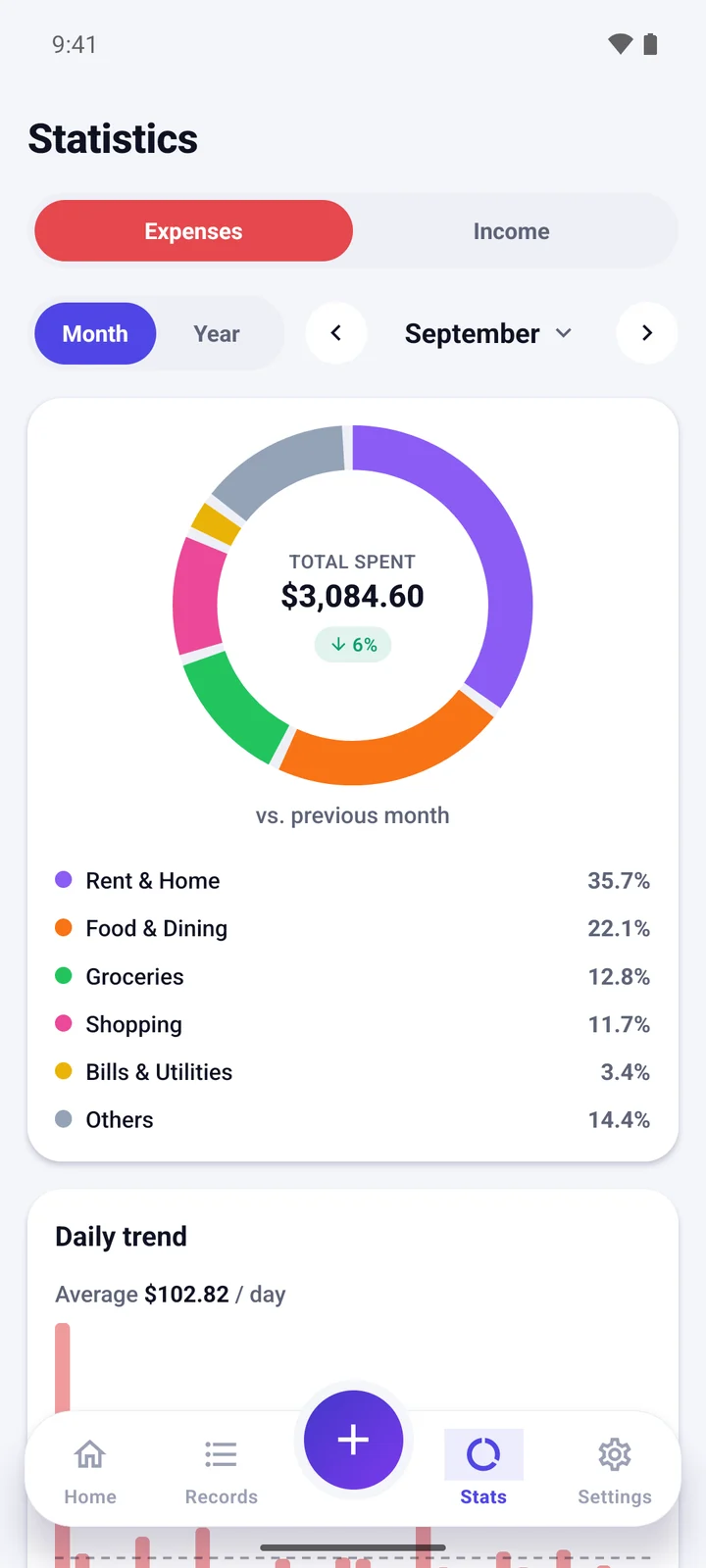
Spending statistics with a donut chart by category

Understand

See where it all goes

A clear breakdown by category, a daily or monthly trend, and an honest comparison with the same point last month. Tap any category to see every purchase behind it.

  • Month and year views
  • Compared with last month
  • Drill into any category
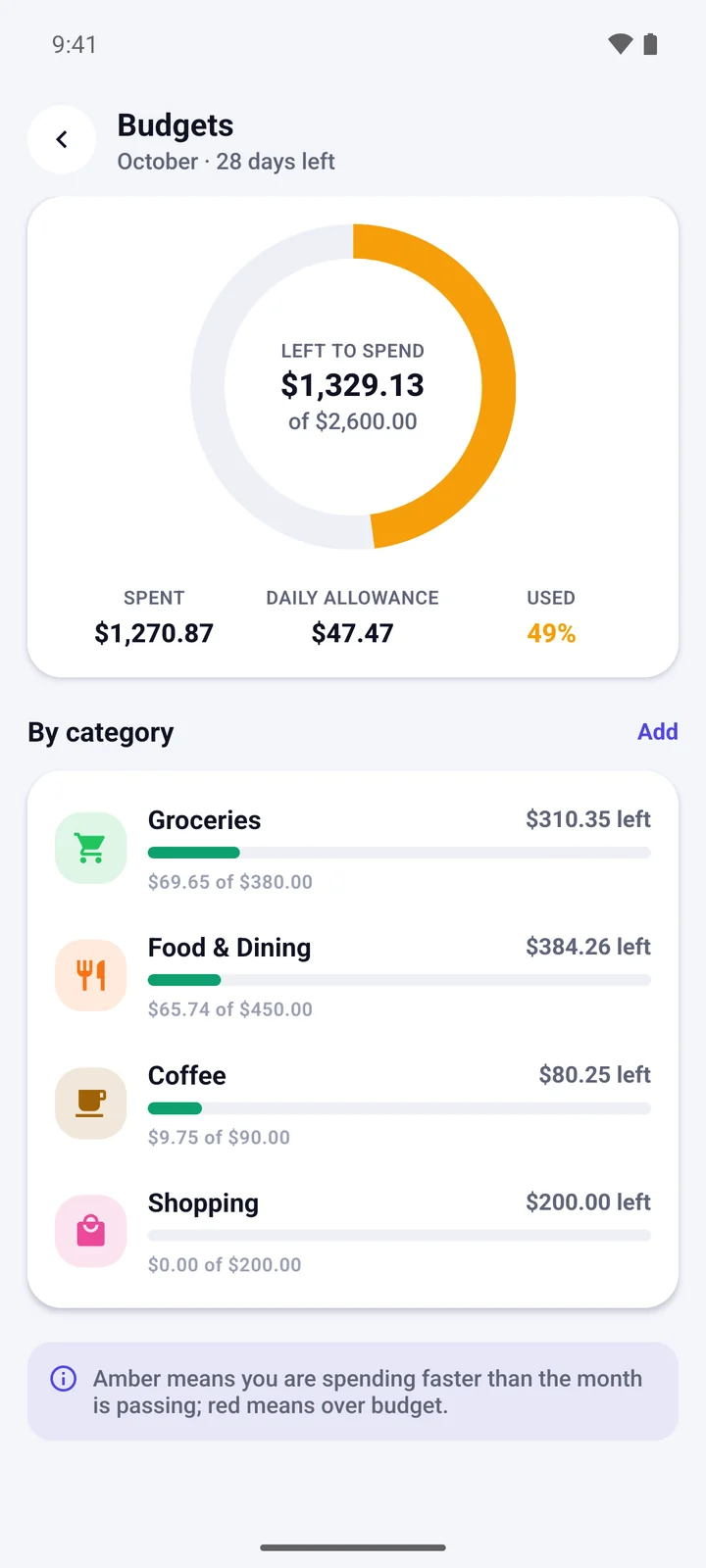
Monthly budget with money left to spend and category limits

Plan

Budgets that tell you what’s left today

Set one monthly budget, or limit the categories that tend to run away. Money Tracker turns what’s left into a daily allowance and warns you in amber before you go over.

  • Monthly and per-category budgets
  • Daily allowance
  • Early warnings
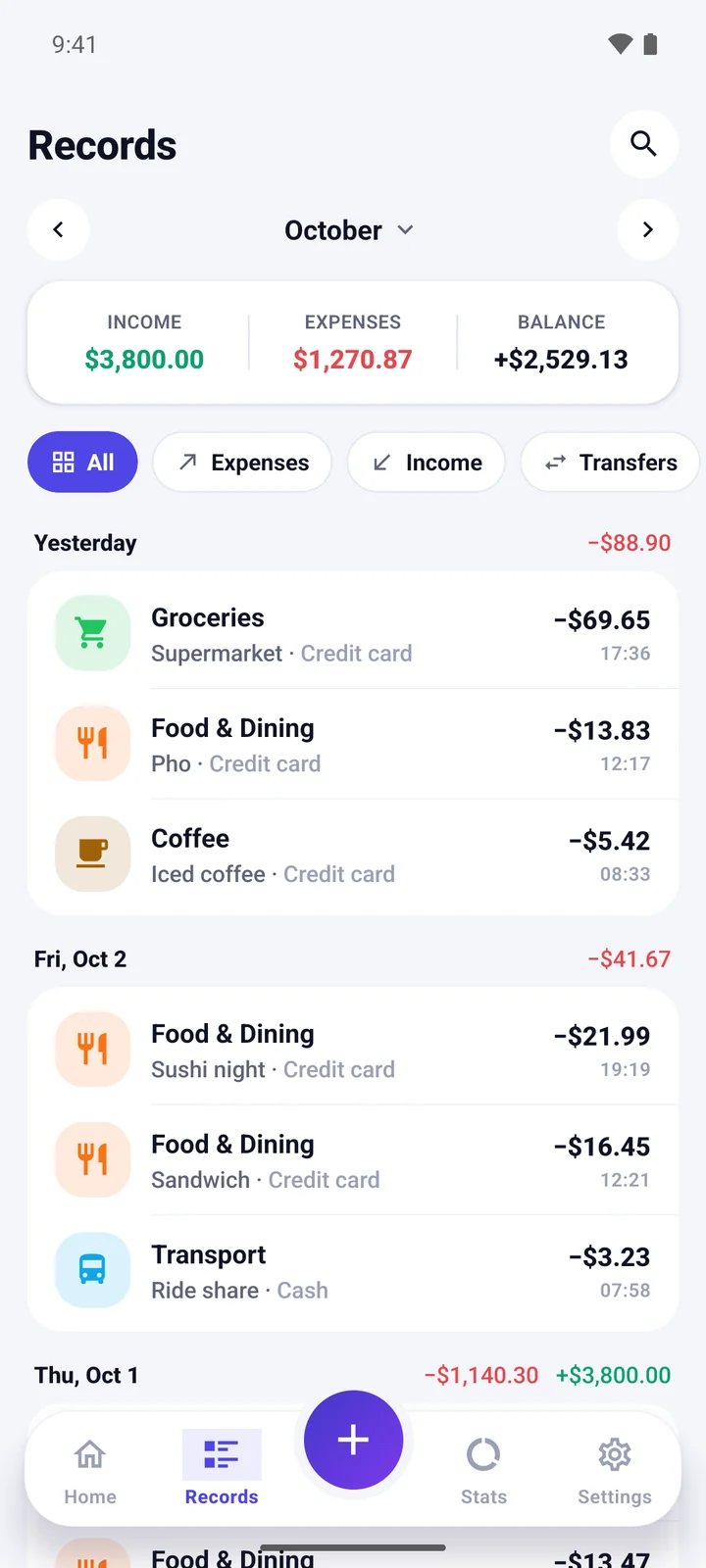
Records list grouped by day with income and expense totals

Review

Your history, tidy and searchable

Every record grouped by day with daily totals. Jump to any month, filter by expenses, income or transfers, and find anything by note, category, account or amount.

  • Grouped by day
  • Filters and month picker
  • Instant search

And more

All the little things, done right

Multiple accounts

Cash, bank, cards, savings and e-wallets, with your net worth at a glance.

Transfers

Move money between accounts without skewing your spending.

Instant search

Find any record by note, category, account or amount.

Your categories

Start with 26, then add your own with 80+ icons and 16 colours.

12 currencies

Dollar, euro, đồng, yen, won and more, formatted properly.

Hide balances

Mask your amounts with one tap when someone is looking.

CSV export

Open your records in Google Sheets or Excel.

Backup & restore

One file moves everything to your next phone.

Dark mode

Easy on the eyes at night

Follows your phone’s theme, or pick light or dark yourself.

Home screen in dark mode

Privacy

Private by design, not by promise

Your spending says a lot about you. That’s why Money Tracker was built to work without servers, without accounts and without anyone looking over your shoulder — including us.

Read the privacy policy

No account

Open the app and start. There is nothing to sign up for.

No servers

Your records live in a database on your phone, not in our cloud.

No ads, no tracking

No analytics, no ad SDKs, nothing quietly phoning home.

You’re in control

Export or back up only when you choose, and erase everything any time.

FAQ

Questions, answered

Is Money Tracker free?

Yes. There are no ads, subscriptions or in-app purchases.

Do I need to create an account?

No. Install it and start adding expenses. There is no sign-up and no login.

Where is my data stored?

Only on your phone, in the app’s private storage. Money Tracker does not send your records to us or to anyone else.

How do I move to a new phone?

Open Settings → Back up to save a single file (to Google Drive, email or anywhere you like). On the new phone, use Settings → Restore from backup.

Can I use my own currency?

Choose from 12 currencies, including the US dollar, euro, Vietnamese đồng, Japanese yen and Korean won. Changing the currency changes how amounts are shown; it does not convert them.

Can I try it before entering my own data?

Yes. Choose “Explore with sample data” on the first screen. When you are ready, Settings → Erase all data gives you a fresh start.

Is there an iPhone version?

Not yet. Money Tracker is available for Android 7.0 and newer.

Start tracking in under a minute

Free on Android. No sign-up, no ads — just a clearer picture of your money.

Coming soon toGoogle Play